Welcome to Alliance Raceway Storage Center!

Safe, Convenient, and Trusted Storage Solutions – Serving Justin with Excellence!

Safe, Secure, and Convenient Storage

Store your belongings with peace of mind.

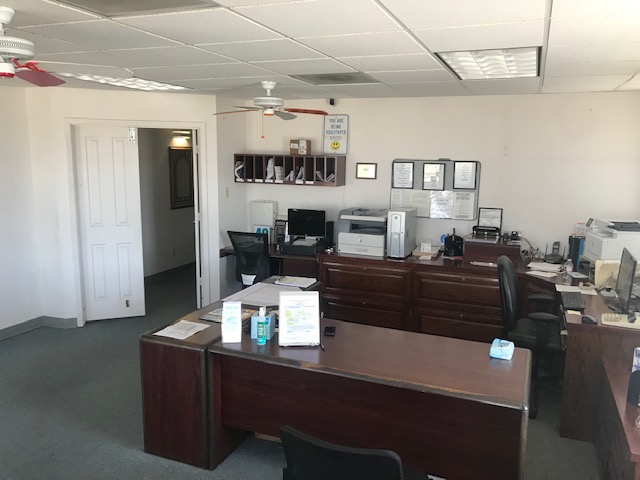
Alliance Raceway Storage Center Image 1 Alliance Raceway Storage Center Image 2 Alliance Raceway Storage Center Image 3 Alliance Raceway Storage Center Image 4 Alliance Raceway Storage Center Image 5 Alliance Raceway Storage Center Image 6 Alliance Raceway Storage Center Image 7 Alliance Raceway Storage Center Image 8 Alliance Raceway Storage Center Image 9

Current Move-In Specials

No current specials available.

Our Storage Solutions - Alliance Raceway Storage Center

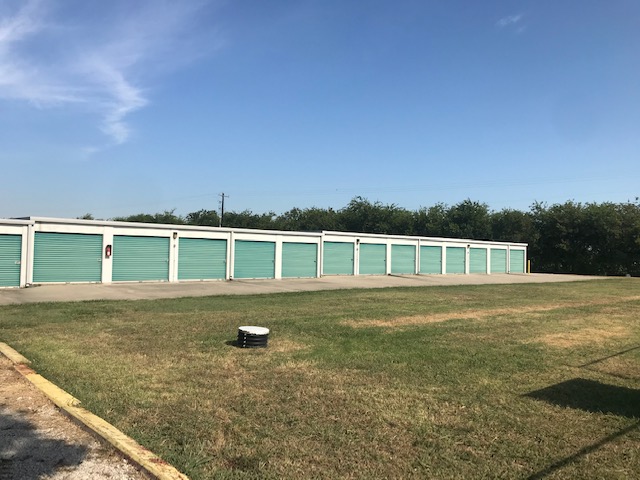
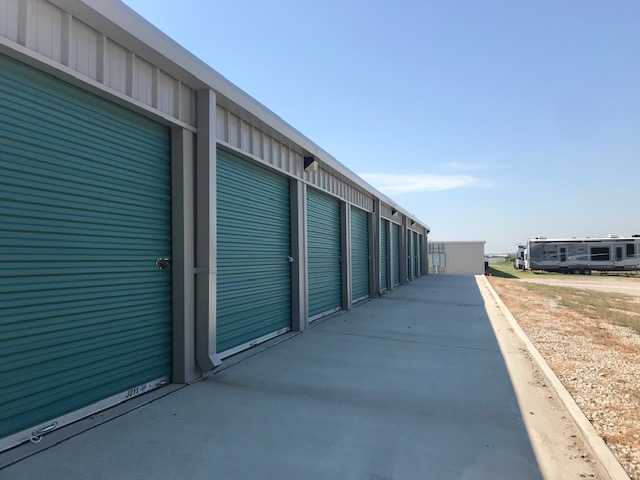
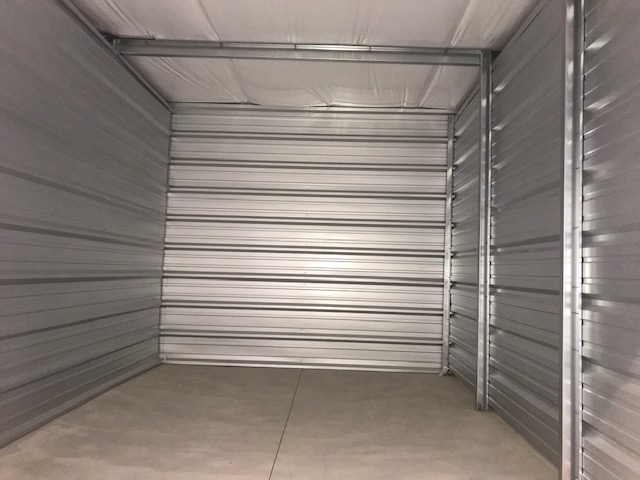
Alliance Raceway Storage Center is the perfect solution for all your storage needs in Justin Texas. With a range of open and covered parking options, climate-controlled and non-climate-controlled self-storage units, as well as Uhaul trucks and trailers for rent, we have everything you need to keep your belongings safe and secure. Our location next to the Texas Motor Speedway makes us easy to find, and our top-notch security features, including automated gates, multiple security cameras, and security fencing around the entire perimeter, ensure that your belongings are protected at all times. Plus, with the ability to rent and pay online anytime, storing your items has never been easier. Trust us to keep your possessions safe and secure.

Features - Alliance Raceway Storage Center

O Admin Fee: $15.00
O 24-7 Access
O Boat / RV Storage
O Drive Up
O Boxes/Moving Supplies
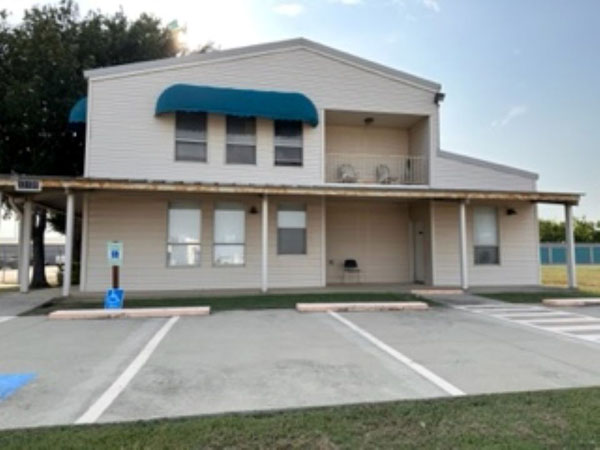
O On-Site Manager
O Climate Control
O U-Haul Authorized Dealer
O No Cash
O Emailed Invoices
O Credit Cards Accepted
O First Of Month Billing
O Autopay Available


Storage Solutions You Can Trust in Justin

At Alliance Raceway Storage Center in Justin, we take pride in offering top-notch self-storage solutions with advanced security features like surveillance cameras, perimeter fencing, and gated access. Whether you're managing a business, moving to a new home, or just need extra space for your belongings, we’re here to meet your needs with convenience and peace of mind.

Affordable Storage Units in Justin

If you're searching for budget-friendly storage units in Justin, look no further than Alliance Raceway Storage Center! Conveniently located at 17176 FM 156, we offer the perfect self-storage solution at unbeatable prices. Whether you need space for personal items, business inventory, or anything in between, our facility provides a variety of unit sizes to fit your needs—all at competitive rates. Take advantage of our secure, cost-effective storage options and enjoy peace of mind knowing your belongings are in good hands. Reserve your unit today and experience the best value in self-storage right here in Justin!



How We Stack Up!

Average Rating: 4.6 / 5.0


Leave Us A Google Review!
(Are you a tenant? Leave us a 5 star review and get $5.00 off next month's rent!)

Contact Us

Google Maps Link to Alliance Raceway Storage Center

Find Us On Google Maps!


Alliance Raceway Storage Center
17176 FM 156
Justin, TX 76247

Phone: (940) 242-3611

WhatsApp Logo - 19402423611

Facility Hours

Mon: 8:30AM - 5:30PM
Tue: 8:30AM - 5:30PM
Wed: 8:30AM - 5:30PM
Thu: 8:30AM - 5:30PM
Fri: 8:30AM - 5:30PM
Sat: 9:00AM - 3:00PM
Sun: Closed

Social Media


Send Us An Email

News You Can Use - Diamond Self Storage Management

Is Your PC Ready for Windows 11? Here's How to Check!

Author: Justin Small | Published On: Dec 29, 2024

Is Your PC Ready for Windows 11? Here's How to Check!

Windows 11 is here, offering a sleek design, improved performance, and exciting features. But before you make the leap from Windows 10, it’s crucial to ensure your PC is ready for the upgrade. Microsoft has set specific system requirements for Windows 11, and not all devices will meet them. Don’t worry—this guide will walk you through the process of checking your PC’s compatibility and what to do if it falls short.


Windows 11 System Requirements

To upgrade to Windows 11, your PC must meet these basic requirements:

  1. Processor: A 1GHz or faster 64-bit processor with at least 2 cores.

  2. RAM: 4GB or more.

  3. Storage: A minimum of 64GB.

  4. Graphics Card: DirectX 12-compatible with WDDM 2.0 driver.

  5. System Firmware: UEFI with Secure Boot capability.

  6. TPM (Trusted Platform Module): Version 2.0 enabled.

  7. Display: A high-definition (720p) display larger than 9 inches diagonally.

If that list seems overwhelming, don’t worry. Microsoft’s PC Health Check tool can analyze your system and provide a clear compatibility report.


How to Use the PC Health Check Tool

Follow these steps to check your PC’s readiness for Windows 11:

1. Download the Tool

  1. Open your browser and go to Microsoft’s official Windows 11 page.

  2. Scroll down to the PC Health Check section.

  3. Click on “Get PC Health Check App” to download the tool.

2. Install and Run the Tool

  1. Locate the downloaded file and run the installer.

  2. Follow the on-screen instructions to install the PC Health Check tool.

  3. Once installed, open the tool.

3. Check Compatibility

  1. Inside the PC Health Check tool, look for the “Introducing Windows 11” section.

  2. Click the “Check Now” button.

  3. The tool will analyze your system and display the results.

If your PC is compatible, you’ll see a message saying, “This PC meets Windows 11 requirements.” Congratulations—you’re ready to upgrade!


What If Your PC Isn’t Compatible?

If the tool indicates that your PC doesn’t meet the requirements, it will specify which component is causing the issue. Here are some common problems and solutions:

  1. TPM 2.0 or Secure Boot Not Enabled: These settings can often be enabled in your BIOS or UEFI firmware. Consult your motherboard manual or manufacturer’s website for instructions.

  2. Older Processor: If your CPU isn’t on the supported list, you may need to stick with Windows 10 or consider upgrading your hardware.

  3. Insufficient RAM or Storage: Adding more RAM or upgrading to a larger storage drive could resolve these issues.

Remember, Microsoft will support Windows 10 with updates and security patches until October 14, 2025, so you have time to decide on your next steps.


Why Upgrade to Windows 11?

Windows 11 brings a host of new features and improvements, including:

  • A redesigned Start Menu and taskbar.

  • Enhanced multitasking with Snap Layouts and Snap Groups.

  • Better integration with Microsoft Teams.

  • Performance optimizations and improved security.

While Windows 10 remains a reliable operating system, upgrading to Windows 11 can provide a fresh and modern experience, especially if your hardware supports it.


Conclusion

Checking if your PC is ready for Windows 11 is easy with Microsoft’s PC Health Check tool. Whether your device passes the test or not, you can make informed decisions about upgrading or sticking with Windows 10 for now. With support for Windows 10 continuing until late 2025, there’s no rush—but getting familiar with your upgrade options now is a smart move.

Have you tried the PC Health Check tool? Share your experience in the comments below! And if you found this guide helpful, don’t forget to bookmark our blog for more tech tips and tutorials.


Contact Diamond Self Storage Management

For general inquiries, email us at: management@diamondselfstorage.net
or call: (281) 615-0550

For Cyber Security inquiries, email: cybersecurity@diamondselfstorage.net or call: (281) 615-0550 Ext 100